



UGREEN Revodok Pro 109 USB C Docking Station 9 in 1 Hub | Includes 10Gbps Type a & C 3.2, 4K 60Hz HDMI, 100W Power Delivery, SD/TF Card Reader and Gigabit Ethernet, For iMac, iPad
Brand: UGREEN
Product Summary: UGREEN Revodok Pro 109 USB C Docking Station 9 in 1 Hub | Includes 10Gbps Type a & C 3.2, 4K 60Hz HDMI, 100W Power Delivery, SD/TF Card Reader and Gigabit Ethernet, For iMac, iPad is currently listed on Amazon India at a deal price of ₹5,949. This is a genuine discount of 52.78% compared to its list price of ₹12,598.
Product prices and availability are accurate as of August 18, 2026 01:37 AM IST and are subject to change. Any price and availability information displayed on Amazon.in at the time of purchase will apply to the purchase of this product.
As an Amazon Associate, we earn from qualifying purchases. This helps support our site's server maintenance costs.
Product Details & Specifications
- Primary Product ASIN B0BXDSPSPW
- Category Tree Path Computers & Accessories > Accessories & Peripherals > USB Hubs
- Fulfilled & Sold By UGREEN India
- Hardware Interface Ethernet, HDMI, MicroSD, USB, USB Type C
- Product Features Pass Through Charge
- Compatible Devices MacBook Pro, Air, iPad Pro, Surface, XPS, Thinkpad
- Total USB Ports 9
- Data Transfer Rate 10 Gigabits Per Second
- Number of Ports 9
- Operating System macOS, Windows, iOS
- Colour grey
- Enclosure Material Plastic
- Item Dimensions L x W x H 14L x 5.7W x 1.6H Centimeters
- Item Weight Unit of Measure 0.2 Kilograms
- Brand Name UGREEN
- Manufacturer Ugreen Group Limited
- UPC 694187621532
- Global Trade Identification Number 06941876215324
- Unit Count 1.0 Count
- Country of Origin China
- Model Number 15532
- Manufacturer Part Number 15532
- Warranty Description 24 months
- Best Sellers Rank #10,488 in Computers & Accessories (See Top 100 in Computers & Accessories) #162 in USB Hubs
- ASIN B0BXDSPSPW
- Customer Reviews 4.4 4.4 out of 5 stars (1,271) 4.4 out of 5 stars
About this item
- 9-in-1 USB C Hub: Inspire more potential of your laptop’s USB-C port with a 10 Gbps USB-C 3.2 Gen 2 port, a 10 Gbps USB-A 3.2 Gen 2 ports, 4K@60Hz HDMI, 100W Power Delivery, RJ45 and SD/Micro SD card reader.
- Start the USB 3.2 Era: Transfer files, movies, and photos at speeds up to 10 Gbps via the USB-C data port and dual USB-A ports.The C port marked with 10Gbps can only be used for data transmission, and does not support video output or charging.
- 4K@60Hz Immersive Display: Simply connect to an external monitor via the 4K HDMI port of the USB C hub multiport adapter to see all in sharp and glorious detail.Pls ensure that your device supports video output via the usb c port.
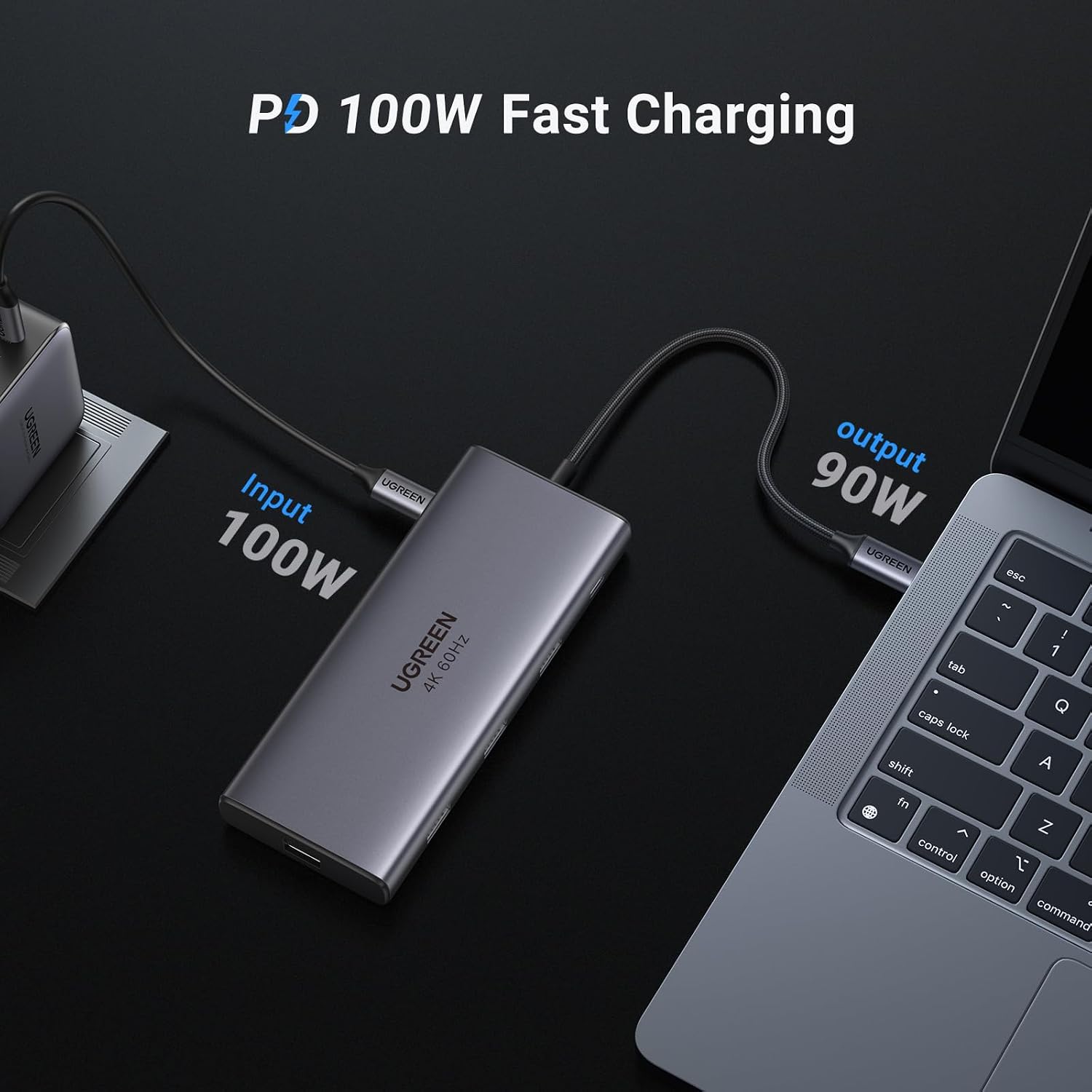
- Powerful 100W Power Delivery: Support max 100W USB C pass-through charging over the Type-C port to keep your laptop always powered. When demonstrating screencasting or transferring files, please do not plug or unplug the PD charger to avoid loss of images or data.
- Ultra-Fast Ethernet: The USB-C Hub has a 1000Mbps Ethernet port that gives you the advantage of ultra-high-speed internet connections.
- Broad Compatibility: The USB C Multiport Adapter is compatible with almost USB-C devices such as MacBook Pro, MacBook Air M1/M2, iPhone 16/15 Pro/Pro Max, iMac, XPS, ThinkPad X1, ZenBook, iPad Pro, Chromebook, Surface, etc.
Product Description
Previous page Next page 1 10Gbps Data Transfer 2 4K@60Hz HDMI 3 100W PD Charging 4 Gigabit Ethernet 5 SD/TF Slot Previous page Next page Previous page Next page Why can't my device display properly when using the HDMI port? 1) The laptop must support the video transmission function(DisplayPort Alternate Mode)to use this dock to convert video images. 2) Please make sure your HDMI cable works well. Why can't my device get 4K@60hz from the HDMI slot? The 4K@60Hz is only available for laptops with DisplayPort 1.4 and above. Can the device be charged via the USB C 3.2 port? It's NOT suggested to use the USB C 3.2 port for charging and video display, which is designed for data transmission. What can I do if I can't get the ethernet port to work? 1. Please install the driver first. 2. For Mac, add this adapter in the Network setting. Go to "System Preferences"--->"Network"--->Click on the"+" sign--->Select the network card with the corresponding name(USB 10/100/1000 LAN)--->Click on "Create".
Recommended Deals
Loading recommendations...