




Magcubic Upgraded HY300PRO Mini Projector Android 14 with WiFi and Bluetooth, Portable Projector 4K Support, Auto Keystone, 180 Degree Rotation, Smart Proyector for Home Outdoor
Brand: Magcubic
Product Summary: Magcubic Upgraded HY300PRO Mini Projector Android 14 with WiFi and Bluetooth, Portable Projector 4K Support, Auto Keystone, 180 Degree Rotation, Smart Proyector for Home Outdoor is currently listed on Amazon India at a deal price of ₹5,999.
Current Configuration:
Available Colour:
View on AmazonProduct prices and availability are accurate as of August 27, 2026 07:31 AM IST and are subject to change. Any price and availability information displayed on Amazon.in at the time of purchase will apply to the purchase of this product.
As an Amazon Associate, we earn from qualifying purchases. This helps support our site's server maintenance costs.
Product Details & Specifications
- Primary Product ASIN B0GCC4GNRG
- Category Tree Path Electronics > Home Theater, TV & Video > Projectors
- Fulfilled & Sold By MAGCUBIC-IN
- Product Features Lightweight
- Network Connectivity Technology Bluetooth
- Native Resolution 1280 x 720
- Lumens 200 Lumen
- Colour White
- Maximum Throw Distance 2.5 Metres
- Minimum Throw Distance 0.6
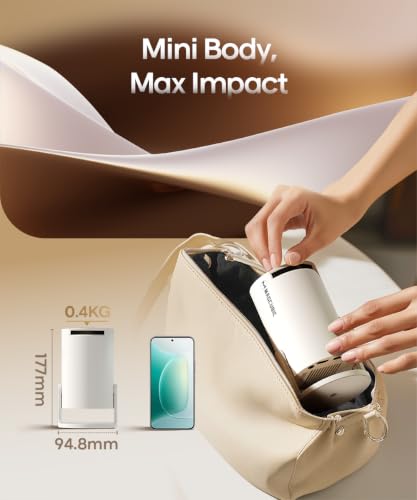
- Item Dimensions L x W x H 9.5L x 9.5W x 15.7H Centimeters
- Item Weight 0.35 Kilograms
- Brand Name Magcubic
- Antenna Location Home Cinema
- Box Contents Adapter, Remote, User Manual
- Model Name HY300PRO
- Number of Items 1
- Manufacturer Magcubic
- Country of Origin China
- Importer Contact Information SAMPATTI VENTURES PRIVATE LIMITED 4th Office no.401 Shivashish 19th Road Chembur Mumbai Mumbai Suburban Maharashtra 400071
- Item Type Name Video Projector
- Packer Contact Information GUANGDONG SINOY SMART TECHNOLOGY CO.,LTD Room 501,5th Floor,Building 2,Runfeng Zhigu,No.3 Sima Gongye 1st Road,Changping Town,Dongguan,Guangdong,CN
- Warranty Description 1
- Best Sellers Rank #10,798 in Electronics (See Top 100 in Electronics) #35 in Home Cinema Projectors
- ASIN B0GCC4GNRG
- Customer Reviews 4.3 4.3 out of 5 stars (8,484) 4.3 out of 5 stars
About this item
- NOTE: To ensure optimal performance of built-in applications, please manually update your device to the LATEST system version. Please contact us anytime if you have any problems while using it. We offer a 1-year replacement warranty and a 100% satisfaction guarantee.
- Portable & Powerful: The HY300Pro Projector is 30% smaller than the previous model and 60% more compact than competitors--perfect for travel, work, or outdoor movie nights. Features an external power supply for cooler, faster performance.
- Universal Connectivity: The portable projector with WiFi and Bluetooth streams lag-free streaming from phones, laptops, and consoles. With HDMI/USB ports for instant setup anywhere, plus a 180° rotating stand and ultra-compact design, its backpack-ready for grab-and-go entertainment.
- Built-in Multiple Apps: This smart projector offers seamless access to 1,000,000 videos with a single click, eliminating the need for an external TV stick. Dive into endless entertainment with one device, ideal for home theaters or portable use.
- Cinematic Clarity Anywhere: Enjoy native 720P resolution with 4K support ,suitable for casual use in your bedroom, outdoor space, or living room, making it an affordable option for creating a basic personal cinema.
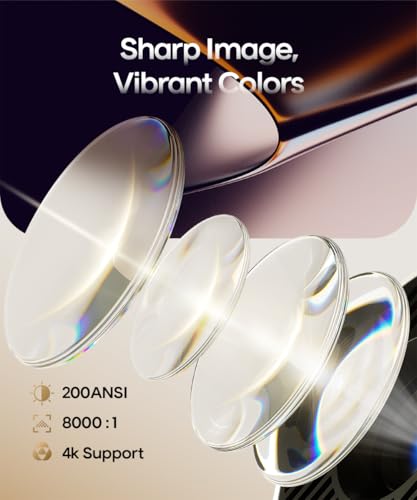
- Bright and Reliable Visuals: With 200 ANSI lumens and an 8000:1 contrast ratio, this mini proyector provides sufficient brightness for casual movie watching or kids shows. It’s easy to use, affordable, and good for daily family entertainment or short trips.
What's in the box?
- Adapter | Remote | User Manual
Product Description
Previous page Next page 1 Portable Size 2 WiFi 6 & Bluetooth 5.4 3 Built-in Android 14 4 Universal Connectivity Previous page Next page 1 Simple Focus Sharp View 2 180 Degree Rotation 3 Big Vision Previous page Next page 1 Yoga Time 2 Home Theater 3 Outdoor Night FAQ The Image is Tilted? Try the following steps to see if they help: 1. Ensure the projector is properly aligned and that the lens is facing the screen directly. 2. Navigate to Settings > Projection settings > Keystone Correction > Initial angle correction. 3. If the above steps don’t resolve the issue, manually adjust the keystone correction by going to Settings > Projection settings > Keystone Correction > Turn Off Auto Keystone Correction > Manual Down Keystone Correction If My App Crashes? 1. Try another Wi-Fi network and update the firmware. Go to Settings > About devices > Online upgrade 2. Check if your time zone is accurate via Settings > Date And Time Setting> Time Zone Selection 3. Clear data via Settings > My Apps > (App Name) > Clear Cache. 4. Reset the projector via Settings > Other Settings > Factory Reset Settings Can't Connect to Wi-Fi? 1. Place the projector and your router within 16 ft / 5 m of each other. Test if other devices can connect to Wi-Fi. 2. Check if your time zone is accurate via Settings > Date and time Setting 3. Try a different Wi-Fi network or connect to your phone's hotspot. 4. Try your router's 2.4GHz and 5GHz settings. 5. Reset the projector by going to Settings > Other Settings > Restore factory settings. Projection Distance The recommended distance between the projector and the projection surface ranges from 0.75 m to 2.65 m. This delivers a projected image size from 35" up to 135". Projector Can't Power On? 1. Check the Power Indicator: Ensure the power indicator light is on when the power cable is plugged in. 2. Try a Different Power Cable: Use another functional power cable to see if this resolves the issue. 3. Update the Firmware: If possible, update the projector to the latest firmware via USB drive. Automatically Shuts Down 1. Check for High Temperature Warnings: See if there’s a prompt indicating the projector has shut down due to high temperature. 2. Check the Fan Operation: Confirm whether the fan is running. If needed, open the projector and reconnect the fan cable. - If the fan is working, update the projector to the latest firmware via USB drive. - If the fan is not working, consider replacing it. Remote Control Is Not Work? 1. Replace the Batteries: Insert new batteries, ensuring the positive and negative poles are correctly aligned. Reversed polarity will prevent the remote from working. 2. Use a Wired USB Mouse: Connect a wired USB mouse to control the projector as an alternative. 3. Contact Support: If the issue persists, reach out to support for a replacement remote control. Image Has Lines or Is Flashing 1. Restore Factory Settings: Go to Settings > Other Settings > Factory Reset to reset the projector to its original settings. 2. Update Firmware: Go to Settings > About Device > Online Upgrade to update the projector to the latest firmware version. 3. Check the Screen Cable: If the issue persists, carefully disassemble the device and gently move the screen cable. If the lines shift as the cable moves, the screen may be faulty and will likely need replacement. Projected Image Appears Burnt? 1. Check Fan Operation: Confirm that the fan is working properly and that hot air is being discharged from the exhaust port. Ensure nothing is blocking the machine’s heat dissipation. 2. Re-plug or Replace the Fan: If the fan isn’t working, you may need to disassemble the projector to re-plug the fan cable or replace the fan. 3. Inspect the Screen: If the above steps don’t resolve the issue, the screen may be faulty and will likely need replacement. How to Get a Squared Image? 1. Ensure the projector is properly aligned with the lens facing the screen directly. 2.Go to Settings > Projection Settings>Keystone Correction > Initial Angle Correction. 3. If needed, manually adjust by turning off Auto Keystone
Recommended Deals
Loading recommendations...